Hello World Template
Once you have installed Cicero, you can try it on an existing Accord Project template. This explains how to download a template and use it to create contract text from data.
Download a Template
You can download a single clause or contract template from the Accord Project Template Library as an archive (.cta) file. Cicero archives are files with a .cta extension, which includes all the different components for the template (text, model and logic).
If you click on the Template Library link, you should see a Web Page which looks as follows:
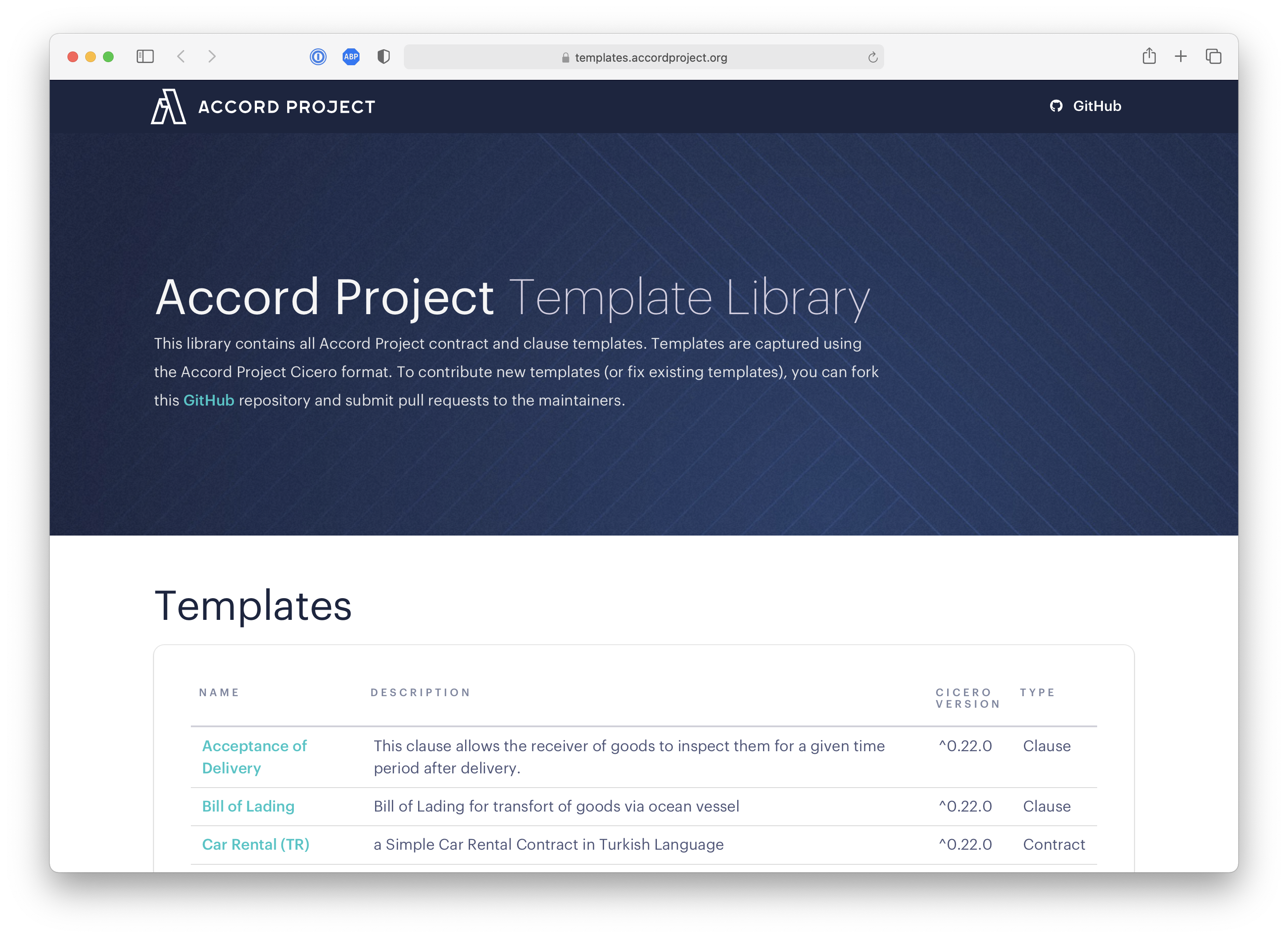
Scrolling down that page, you can see the index for the open-source templates along with their version, and whether they are a Clause or Contract template.
Click on the link to the helloworld template. You should be taken to a page which looks as follows:
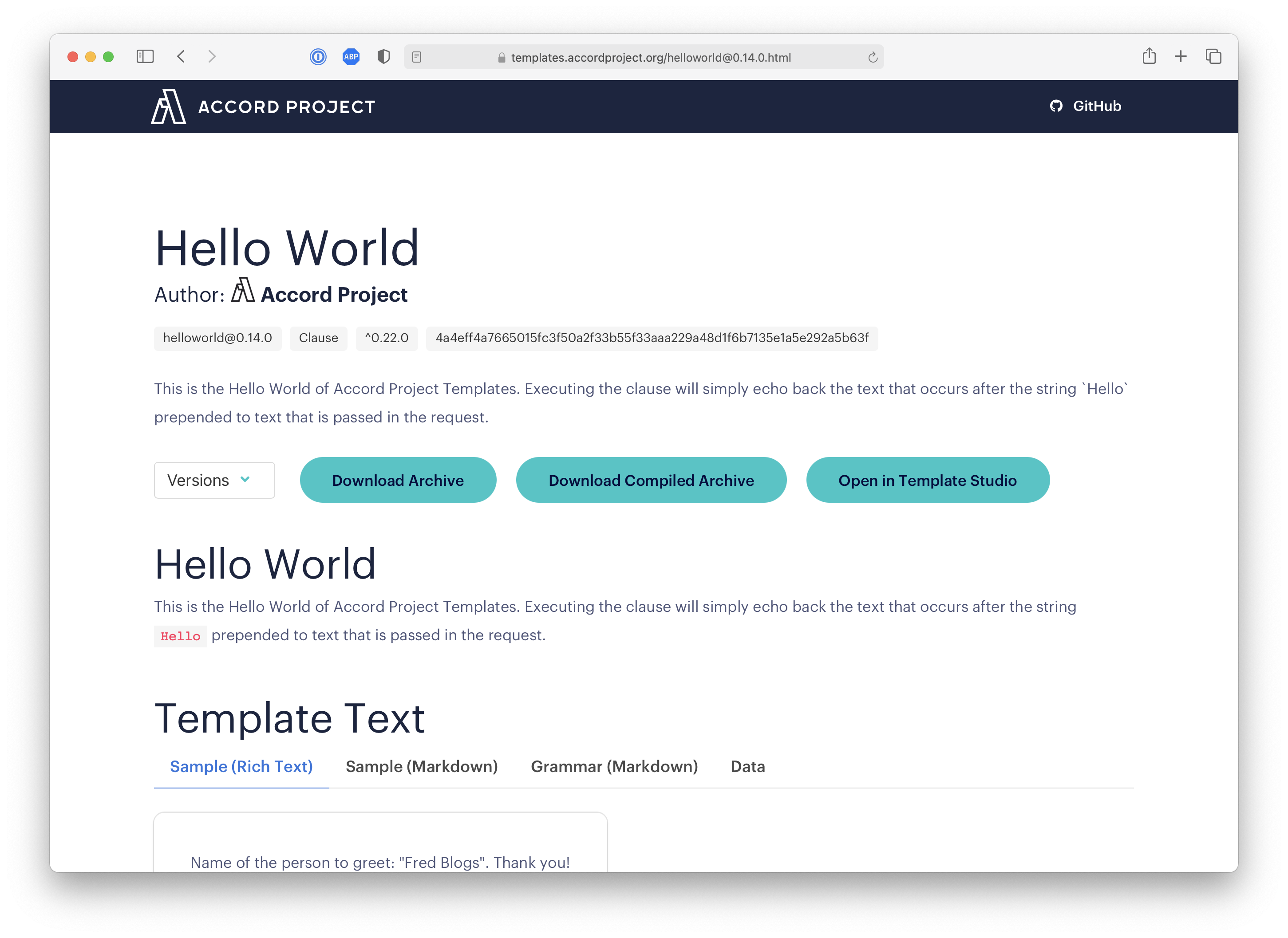
Then click on the Download Archive button under the description for the template (highlighted in the red box in the figure). This should download the latest template archive for the helloworld template.
Templates are tied to a specific version of the Cicero tool. Make sure that the version number from cicero --version is compatible with the template. Look for ^0.26.0 or similar near the top of the template's web page.
Draft: Create Text from Data
You can use Cicero to create contract text from deal data using the cicero draft command. The command merges a JSON data file with the template and prints the resulting text.
Draft from Valid Data
Using your terminal, change into the directory (or cd into the directory) that contains the template archive you just downloaded. Then create a data.json file containing:
{
  "$class": "org.accordproject.helloworld@0.1.0.TemplateModel",
  "clauseId": "aa3b9db9-f25f-41f4-88a4-64baba728bfe",
  "name": "John Doe"
}
Then run the cicero draft command in your terminal:
cicero draft --template helloworld@0.15.0.cta --data data.json
This should create the contract text and output:
Name of the person to greet: John Doe.
Thank you!
You can choose the output format with the --format option (for example markdown or html), and save the result to a file with the --output option:
cicero draft --template helloworld@0.15.0.cta --data data.json --output sample.md
Draft from Non-Valid Data
If you attempt to draft from data which is not valid according to the template, the command returns an error.
Edit your data.json file so that the name field is missing:
{
  "$class": "org.accordproject.helloworld@0.1.0.TemplateModel",
  "clauseId": "aa3b9db9-f25f-41f4-88a4-64baba728bfe"
}
Then run cicero draft --template helloworld@0.15.0.cta --data data.json again. The output should now be:
error: The instance "org.accordproject.helloworld@0.1.0.TemplateModel#aa3b9db9-f25f-41f4-88a4-64baba728bfe" is missing the required field "name".
Troubleshooting
For common issues when working with Cicero templates, refer to the Errors Reference.
What Next?
Try Other Templates
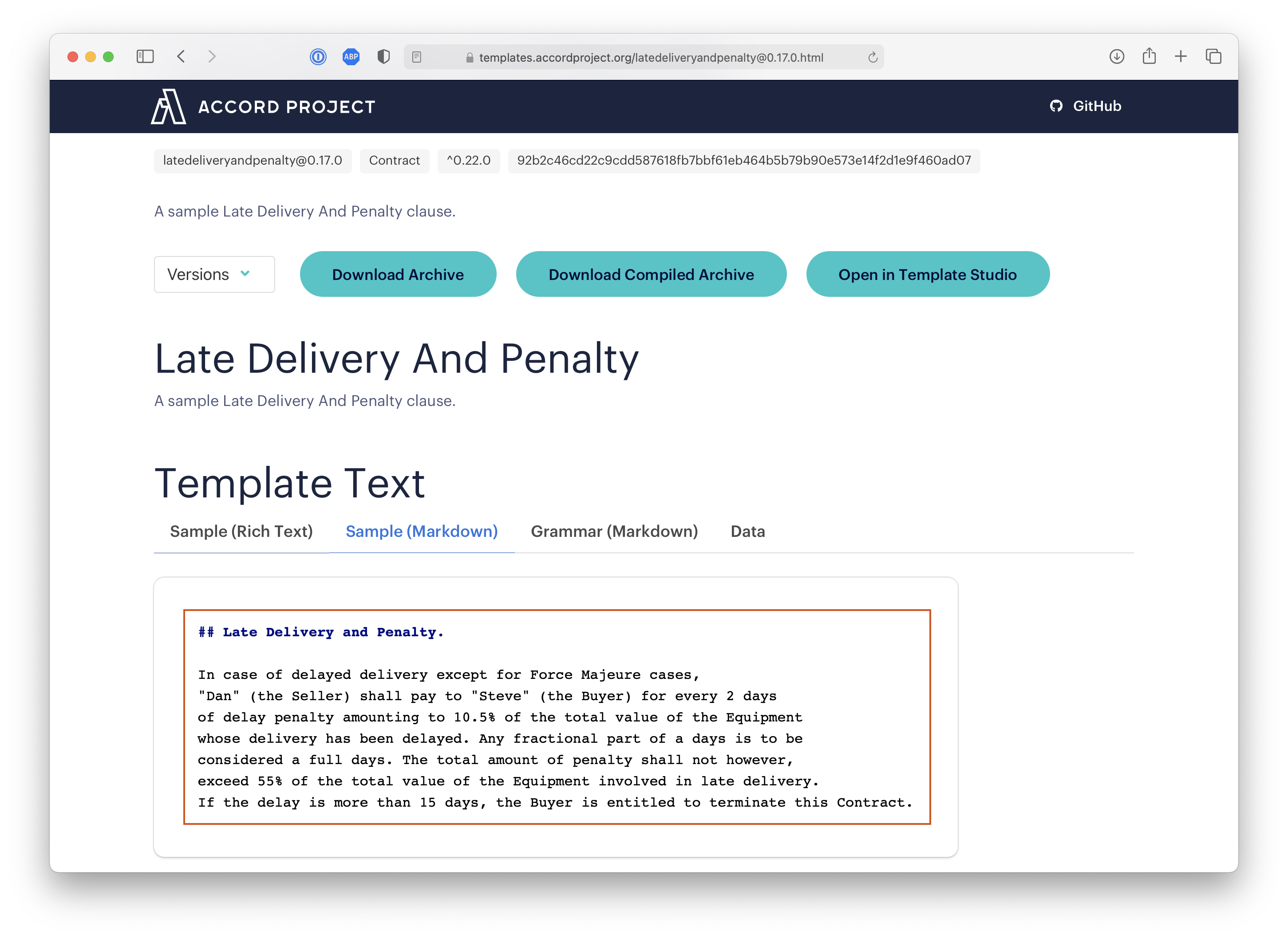
Feel free to try the same command to draft text from other templates in the Accord Project Library. Note that for each template you can find a sample for the text and the data model on the corresponding Web page. For instance, a sample for the Late Delivery And Penalty clause is in the red box in the following image:
More About Cicero
You can find more information on how to create or publish Accord Project templates in the Work with Cicero tutorials.
Use on Different Platforms
Templates may be used on different platforms, not only from the command line. You can find more information on how to use Accord Project templates on different platforms (Node.js, etc.) in the Template Execution tutorials.